Modulaser
DocsBlogPricing
Documentation
Getting StartedLaser Safety
Guides
MIDIOSCDMXAudio ReactiveBPM & SyncImage ModeEffectsBuy a LaserImprove Laser OutputProjection MappingMultiple LasersPen PlotterVideo to LaserShare Your CreationsRaspberry PiCuesTimelineLibraryMacrosKeyboard Shortcuts
Node Graph
Generators
OscillatorPhasorNoiseEnvelopeSequencerAudio InputDMX InputOSC InputLaser IndexTimecodeBPM
Frame
CircleSquarePolygonStarWaveRoseRosetteSpirographSpiralWaveform TunnelParametric CurveFileVideo InputTextCamera ProjectionDuplicatorDotterColorizeLaser ChaseBrightnessMergeOutput
Math
ArithmeticMultiply AddMixFrom PolarTo PolarColorTo Channels (RGB)
Outputs
LaserCubeEther DreamHelios DACIDNLaserworld / ShowNETAVBNDI, Syphon, and Spout Output
FAQ
Getting StartedLaser Safety
Guides
MIDIOSCDMXAudio ReactiveBPM & SyncImage ModeEffectsBuy a LaserImprove Laser OutputProjection MappingMultiple LasersPen PlotterVideo to LaserShare Your CreationsRaspberry PiCuesTimelineLibraryMacrosKeyboard Shortcuts
Node Graph
Generators
OscillatorPhasorNoiseEnvelopeSequencerAudio InputDMX InputOSC InputLaser IndexTimecodeBPM
Frame
CircleSquarePolygonStarWaveRoseRosetteSpirographSpiralWaveform TunnelParametric CurveFileVideo InputTextCamera ProjectionDuplicatorDotterColorizeLaser ChaseBrightnessMergeOutput
Math
ArithmeticMultiply AddMixFrom PolarTo PolarColorTo Channels (RGB)
Outputs
LaserCubeEther DreamHelios DACIDNLaserworld / ShowNETAVBNDI, Syphon, and Spout Output
FAQ
Loading…

Documentation

  • Getting Started
  • Guides
  • Outputs
  • FAQ

Product

  • Laser Safety
  • Changelog
  • Blog
  • Manage Subscription
  • Download Classic

Connect

  • info@modulaser.app
  • GitHub
  • Instagram

© 2026 RS Product Studio B.V.

Terms of ServicePrivacy Policy
  1. Documentation
  2. /Outputs

Supported Outputs

Modulaser supports a range of laser DACs, projectors, and network output methods. Each guide below explains what the hardware needs, how to connect it, and how to get your first output running.
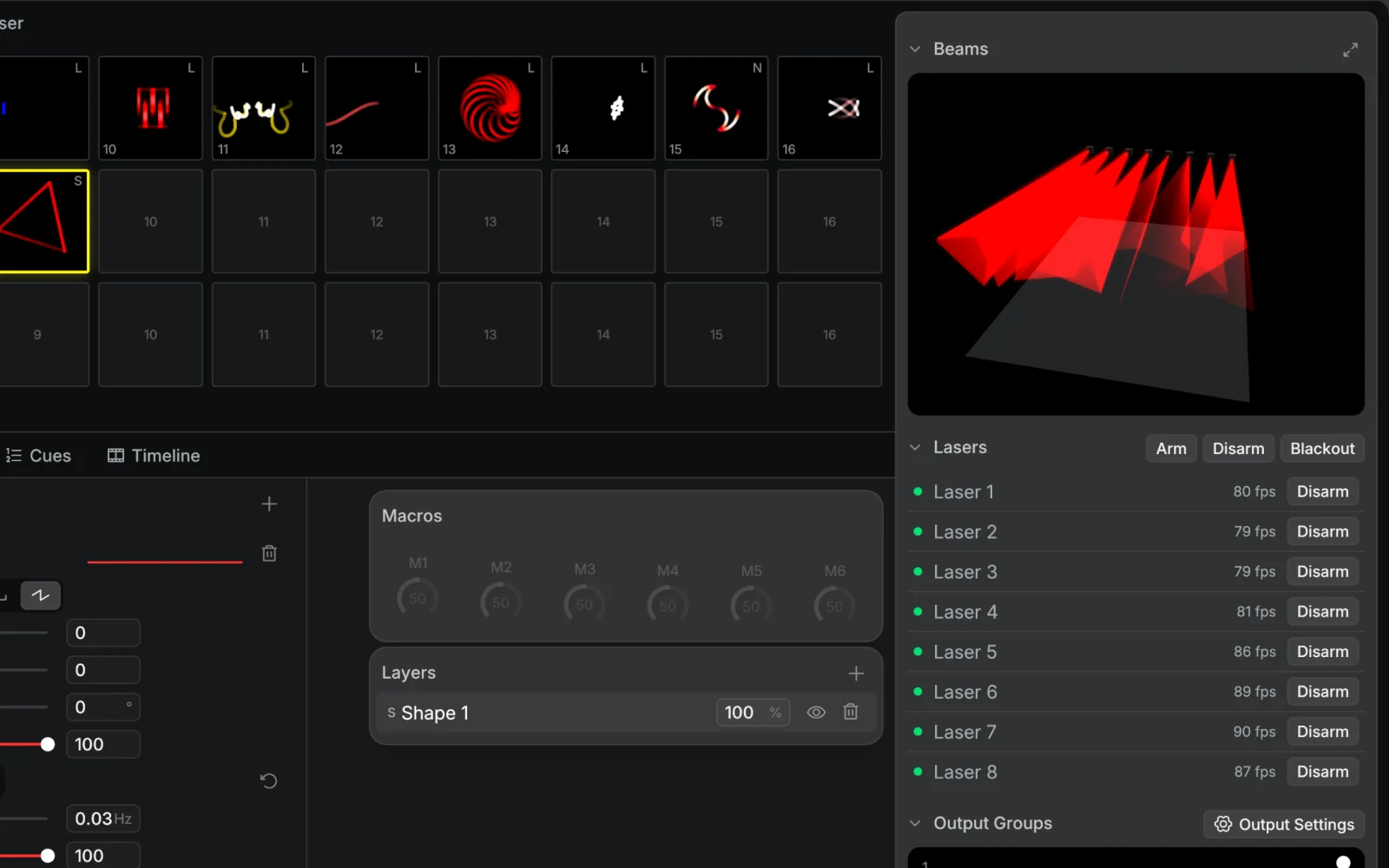
Modulaser output panel with multiple lasers and output groups

Supported DACs

  • Ether Dream: Network laser DAC for ILDA projectors. Supports Ether Dream 1, 2, 3, and 4.
  • Helios DAC: USB laser DAC by Bitlasers. No extra drivers needed.
  • LaserCube: Portable laser projector by Wicked Lasers. Ethernet is recommended for stable output.
  • Laserworld / ShowNET: Laserworld projectors with built-in ShowNET, plus standalone ShowNET DACs.
  • IDN: Laser output over the ILDA Digital Network protocol.
  • AVB: Laser output over AVB-compatible multichannel audio hardware.

Video Streams

  • NDI, Syphon, and Spout: Send Modulaser's laser output to Resolume, OBS, TouchDesigner, and other video tools.

Connection Types

  • Ethernet: Ether Dream, LaserCube, Laserworld / ShowNET, IDN, and AVB hardware.
  • USB: Helios DAC and older USB LaserCube / LaserDock models.
  • Built-in projector interfaces: LaserCube, Laserworld / ShowNET, and some AVB-compatible projectors.
  • External DAC to ILDA: Ether Dream, Helios, IDN DACs, ShowNET DACs, and AVB-to-ILDA converters.
  • Video streams: NDI over the network, Syphon on macOS, and Spout on Windows.

Laser output can cause permanent eye damage. Read the Laser Safety guide before operating a projector.

Previous
To Channels (RGB)
Next
LaserCube