Turn NDI, Syphon, and Spout Video into Laser Output
Modulaser can receive real-time video and trace it into laser-compatible paths. Use this when you want to feed Modulaser from a camera, Resolume, TouchDesigner, Notch, OBS, or another video source.
This guide covers video input into Modulaser. The incoming video is vectorized in real time, then sent through the rest of your clip like any other laser frame.
Want to send Modulaser into Resolume, OBS, TouchDesigner, or another video app instead? See NDI, Syphon, and Spout Output.
Choose a Protocol
| Protocol | Best for |
|---|---|
| Syphon | Same-machine video input on macOS |
| Spout | Same-machine video input on Windows |
| NDI | Network video input, separate machines, and cross-platform sources |
Use Syphon or Spout when the source app runs on the same computer as Modulaser. Use NDI for network cameras, capture systems, or video sources running on another machine.
Add Video Input
Add a layer of type Video Input to receive video. Its Source board lists discovered NDI, Syphon (macOS), and Spout (Windows) sources, and its Vectorization board holds the settings that shape the trace.
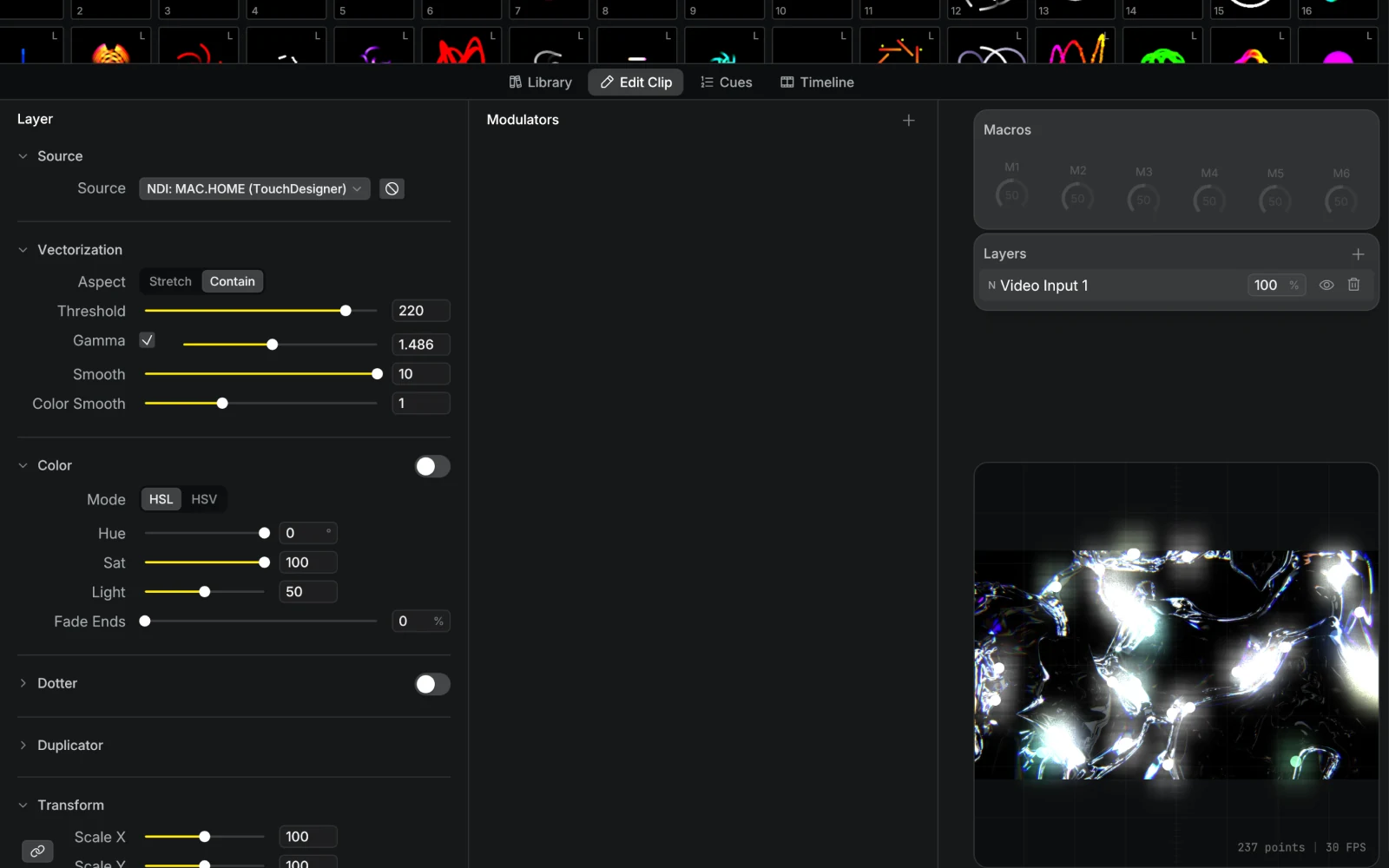
- Add a Video Input layer to your clip.
- Choose an NDI, Syphon, or Spout source in the Source board.
- Tune the Vectorization settings until the traced paths scan cleanly.
In a Node Graph layer, the Video Input node receives the same sources. It only has the source picker, so use a Video Input layer when you need to tune the trace.
If a source stops sending frames for half a second, the layer goes dark instead of holding the last frame. A sender that keeps sending a still image stays lit. Modulaser reconnects automatically when the source reappears. While it is missing, the clip shows a warning badge in the clip grid, cue list, and timeline. Hover the badge to see why.
Multiple clips or layers can share the same source without extra overhead.
What Works Well
The raster-to-vector conversion traces edges in the video. High-contrast source material with clear outlines works best. Shapes that persist between frames keep their drawing order and starting point, so the trace stays steady on the laser while the video moves.
Good sources include:
- a live camera for silhouette tracing
- TouchDesigner or Notch patches with clean outlines
- Resolume clips with bold contrast
- pre-rendered loops with simple shapes
- NDI cameras or capture cards
Busy footage creates dense paths, which can scan poorly on a real laser. If the output looks noisy, simplify the source, raise the threshold, add smoothing, or raise Noise Reduction. If the output flickers, the traced paths may be spending too much point budget for the current laser profile. See Improve Laser Output.
NDI Discovery
NDI sources on the same subnet are found automatically, including sources running on the same machine as Modulaser. Sources on a different subnet will not show up in the dropdown, so keep the sending machine on the same network segment.
For live shows, use a wired network when possible. NDI can work over WiFi, but wired connections are more predictable.
Tips for Laser Output
Threshold controls which parts of the video become paths. Raise it to ignore softer details and keep the trace cleaner.
Smooth reduces jitter and rough edges in the traced paths.
Noise Reduction (Off, Low, or High) suppresses codec and sensor noise before the trace, which helps with noisy camera or NDI footage.
The Color board maps the incoming video to your show palette instead of using the source colors directly.
Simple source material usually scans better than detailed camera footage. Clear shapes, silhouettes, masks, and high-contrast graphics give the galvos less to fight.
Troubleshooting
The source does not appear: make sure the source app is actually sending NDI, Syphon, or Spout. For Syphon and Spout, the source must be on the same computer. For NDI, make sure both machines are on the same network.
The source appears but the laser output is messy: simplify the video source, raise the threshold, add smoothing, or raise Noise Reduction.
The source drops out: check the network connection for NDI sources. If the source app restarts, Modulaser should reconnect when it appears again.