Use your Helios DAC with Modulaser
Modulaser connects directly to the Helios laser DAC by Bitlasers over USB. Plug it in, pick it as a laser's DAC, and output to any ILDA projector connected to it. From there you can patch laser scenes with nodes, sequence clips on the timeline, and play them live.
Helios works on macOS, Windows, and Linux without extra drivers. On Linux, USB access needs a udev rule, which the .deb and .rpm packages install for you. See USB DACs.
Got a Helios DAC? Download Modulaser, plug in the Helios, and select it as the DAC for a Laser. No registration needed. The trial runs up to 2 lasers, with 15 minutes of laser output per run. That's enough to test your whole setup.
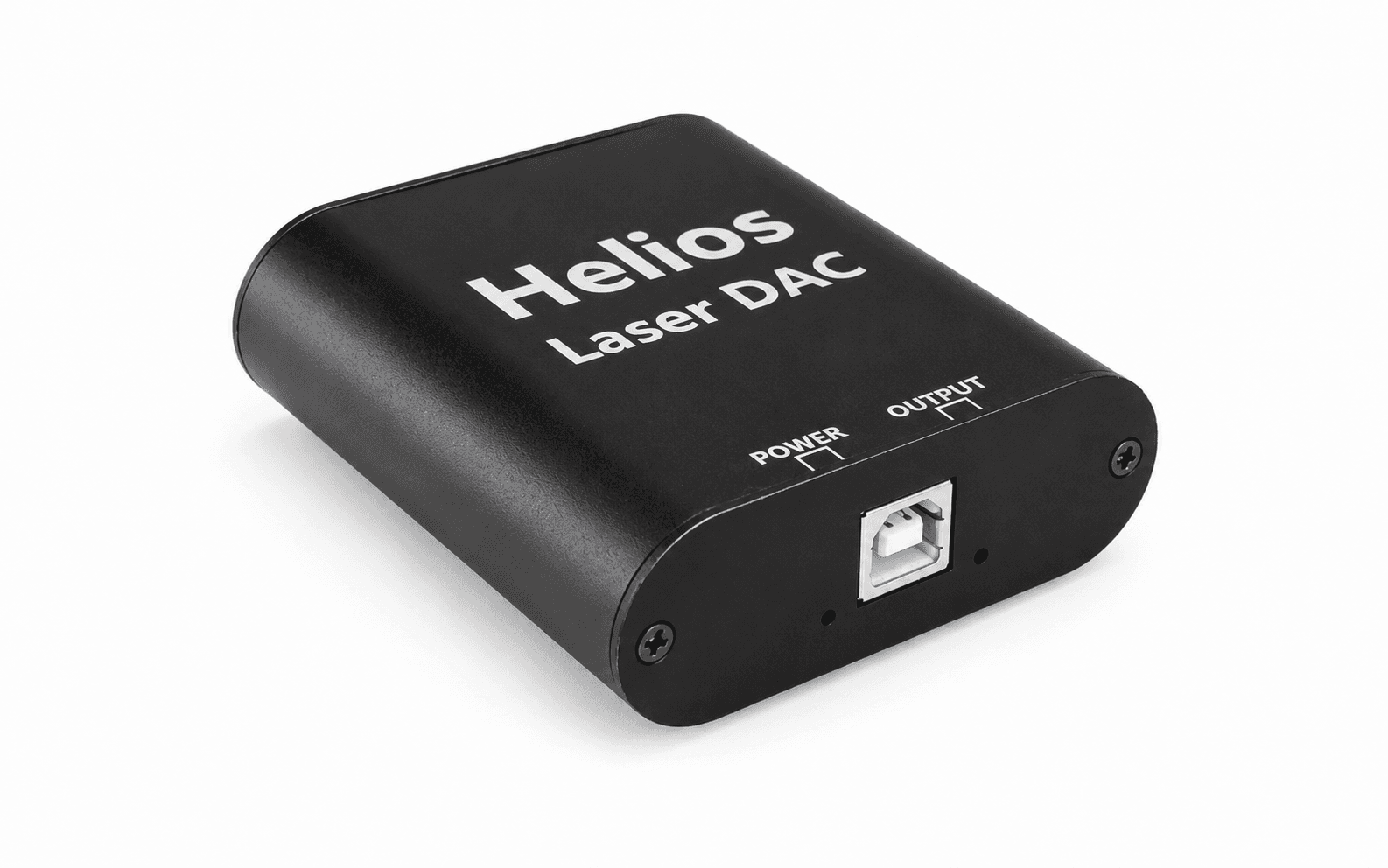
What You Can Do
- Patch laser scenes with nodes instead of drawing static frames.
- Sequence clips on the timeline or trigger them live.
- Route output to one or more lasers with output groups.
- Tune scan speed, blanking, color, dwell, and PPS with the Calibration Wizard.
- Use MIDI, OSC, audio input, or BPM sync for live control.
What You Need
- A Helios DAC or HeliosPRO.
- A laser projector with an ILDA input.
- An ILDA cable between the Helios and projector (usually sold separately).
- A USB connection between the Helios and your computer.
- Modulaser for macOS, Windows, or Linux.
Setup
- Connect the Helios to your laser projector with an ILDA cable.
- Plug the Helios into your computer via USB.
- Open Modulaser.
- Open Output Settings with View → Lasers (
CmdCtrlCmd/Ctrl + L), or with Output Settings on the Output Groups board. - In the Lasers list, press + to add a laser, then under DAC select your Helios device.
- In the Output Groups list, press + to add a group, then drag your laser from Available into In Output.
- Close Output Settings, then select a clip, or open the Library and pick a preset if you don't have any yet.
- Press Assign on the output group to assign the clip to it.
- Press Arm in the right panel to start output.
Arming and the Shutter
The Helios has a hardware shutter, and Modulaser controls it. Arm opens the shutter and starts output. Disarm moves the beam to its park position, blanks it, and closes the shutter. If the Helios disconnects, Modulaser disarms it.
The shutter is a second layer, not your only one. Keep the projector's key switch and interlock within reach, and use them to stop emission in an emergency.
Helios Limits
PPS: Helios runs from 7 to 65,535 PPS. Laser profiles go up to 100,000, so keep the profile PPS at or below 65,535. Above that, the DAC caps the rate and frames play slower than Modulaser planned them. Stay within your projector's rated scan speed as well.
Frame size: Helios plays one frame at a time, up to 4,095 points each. At 30,000 PPS, a 4,095-point frame redraws about 7 times per second, so it flickers long before it reaches the cap. If a busy scene loses its last strokes, the frame is over the limit. Reduce paths, corners, dots, or imported detail. See Optical refresh.
HeliosPRO
HeliosPRO connects over USB or Ethernet.
- USB: HeliosPRO works like a standard Helios. Follow the setup above.
- Ethernet: HeliosPRO uses the IDN protocol, so Modulaser lists it as an IDN device. Make sure IDN is checked under Scan for in Settings, then follow the IDN guide for network setup.
Multiple Helios DACs
Add a laser for each Helios, then route clips to them through output groups. Each laser keeps its own projection map, laser profile, and safety settings, so calibrate them one by one. See Multiple Lasers for chases, phase spread, and sharing a projection map.
The free version and Standard run up to 2 laser outputs. Pro runs as many as you connect.
Calibration
Once output is working, open the Output Settings window and run the Calibration Wizard on your laser profile. The wizard shows test patterns for scan speed, blanking, color, and quality, so you can tune the Helios and projector with live feedback. See Improve Laser Output for details on what each setting does.
Never look directly into the laser beam. This can cause permanent eye damage. Read more in our Laser Safety guide.
Troubleshooting
If the Helios isn't showing up in Modulaser:
- Check scan settings: Make sure Helios is checked under Scan for in Settings. For HeliosPRO over Ethernet, check IDN instead.
- Linux: Permission needed: If the laser shows Permission needed, install the .deb or .rpm package, or add the udev rule from USB DACs, then replug the DAC.
- Try a different USB cable: Some cables are charge-only and don't carry data. Use the cable that came with the Helios or a known data cable.
- Try a different USB port: Some USB hubs or ports don't provide enough power. Connect directly to your computer.
- Close other apps: If another application is using the Helios, Modulaser may not be able to access it. Quit any other laser software that might be connected.
If the Helios connects but the output looks wrong:
- No beam after arming: Check that the ILDA cable is firmly seated on both ends, and that the projector's key switch and interlock are enabled.
- Output is slower than expected: Check that the laser profile PPS is at or below 65,535.
- Part of the scene is missing: The frame is probably over 4,095 points. See Helios Limits.
- Flicker or rough corners: Shrink the projection map, then tune the laser profile. See Common issues.
FAQ
Does Helios need drivers?
No. Standard Helios DACs connect over USB and work in Modulaser without extra drivers. On Linux, the DAC needs a udev rule, which the .deb and .rpm packages install.
Does Modulaser support HeliosPRO?
Yes. Over USB, HeliosPRO works like a standard Helios. Over Ethernet, it uses the IDN protocol and appears in Modulaser as an IDN device.
Can I use multiple Helios DACs?
Yes. Add a Laser for each Helios device, then route clips through output groups. Calibrate each laser profile separately. The free version and Standard support up to 2 laser outputs; Pro is unlimited.
What PPS does Helios support?
Helios runs from 7 to 65,535 PPS, with frames of up to 4,095 points. Keep your laser profile PPS at or below 65,535 and within your projector's rated scan speed.
Does Helios work on Raspberry Pi?
Yes. Use the arm64 Linux build. The .deb and .rpm packages install the udev rule Helios needs for USB access.
Why isn't my Helios DAC showing up in Modulaser?
Make sure Helios scanning is enabled in Modulaser settings, use a USB data cable instead of a charge-only cable, and connect the DAC directly to your computer if a hub is causing power or discovery issues. Quit other laser software before reconnecting the Helios.
Next Steps
- Getting Started: Take a fresh install to your first laser output.
- Improve Laser Output: Tune PPS, blanking, dwell, and color for your projector.
- Multiple Lasers: Run several Helios DACs from one show.
- Buy a Laser: Pick a projector and ILDA cable to go with your Helios.