

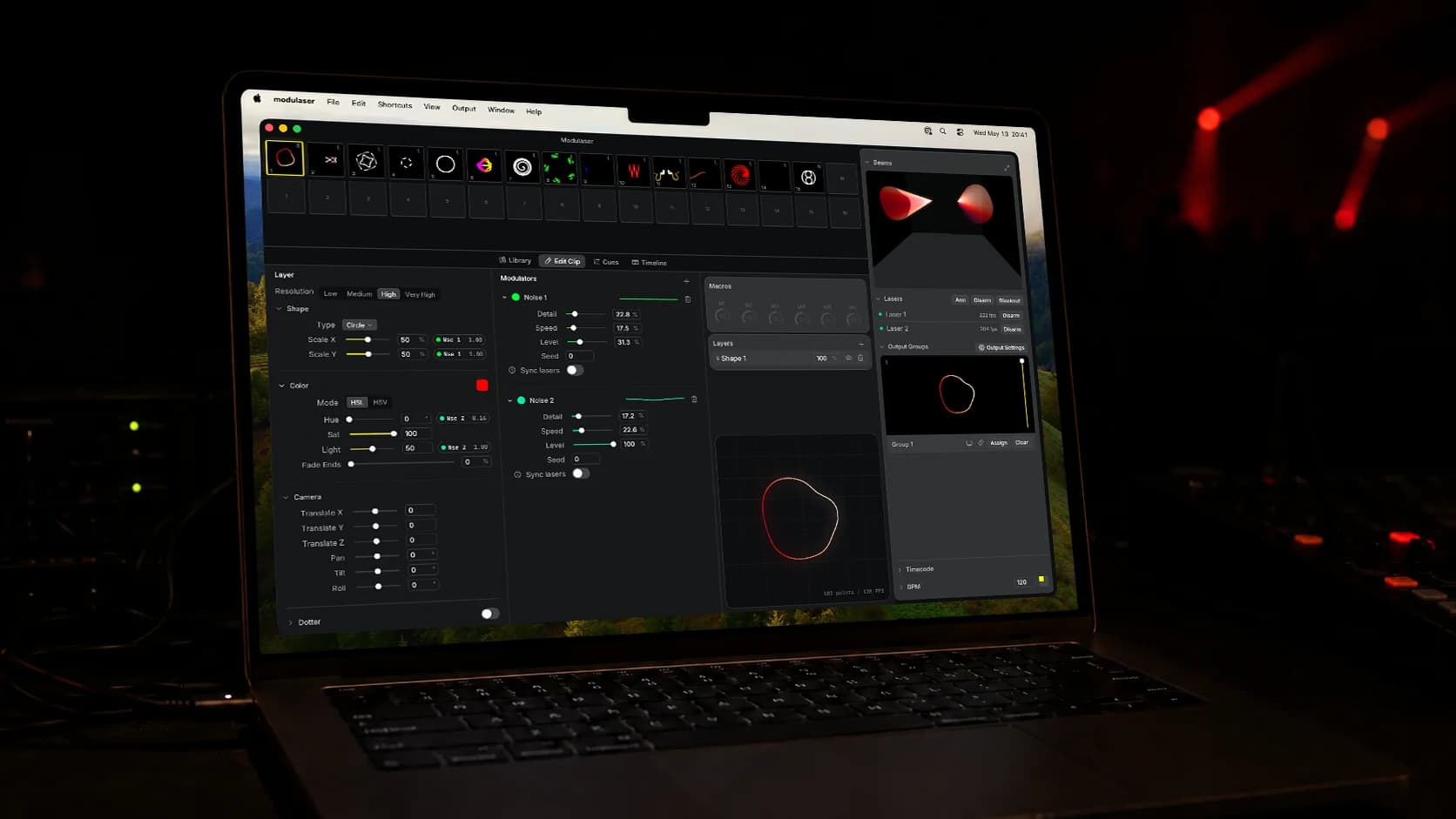
Seven years ago, Kees Kluskens and I released the first version of Modulaser.
It started on a modular synthesizer. I’d picked up an LZX Cyclops and was sending audio straight to the X and Y inputs of a laser. The visuals were beautiful. The signal was also completely unprocessed, full of quirks, and I knew I’d never trust it on stage.
Around the same time, I got an Ether Dream DAC and started writing generative sketches. Cleaner output, but no hands-on control, and swapping between clips was painful. Some of the analog problems came right along into the digital workflow.
Kees made the case to combine the two: a digital synthesizer for lasers, where you could patch live, switch between scenes, and send to any DAC. We got obsessed. A few months later, Modulaser was out in the world.
Since then, VJs, festival crews, and laser artists have taken Modulaser into rigs we never imagined. Many of you took it to bigger stages than we built it for.
Modulaser 2 is built for those stages.
Introducing Modulaser 2
Modulaser 2 is a full rewrite of everything we love about Modulaser. New architecture, new editor, new file system.
One of the things people loved about Modulaser Classic was its calm, simple UI. Keeping that feel while making room for everything new was the hardest part of designing Modulaser 2. The interface is fully redrawn: sharper, easier to move around in, but still recognizably Modulaser.
Underneath, the patching model has changed completely.
What’s new
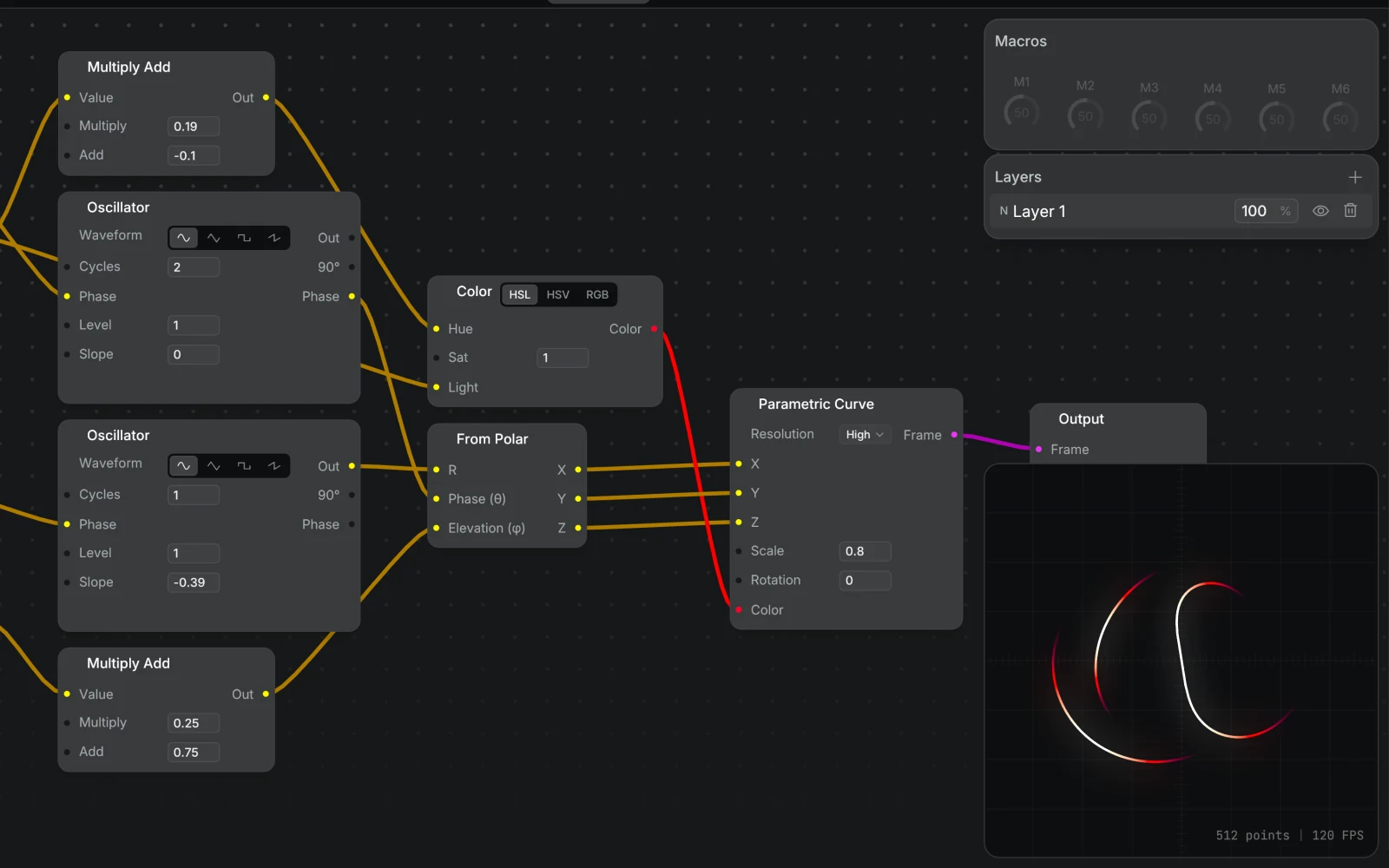
Node graph editor
Modulaser Classic had a fixed patch. You worked inside the layout we shipped, and that was that. Modulaser 2 is built on a visual node graph. You connect sources, effects, and outputs on an open canvas. If you can picture the signal flow, you can patch it. Every parameter is live and automatable.
Multi-DAC output
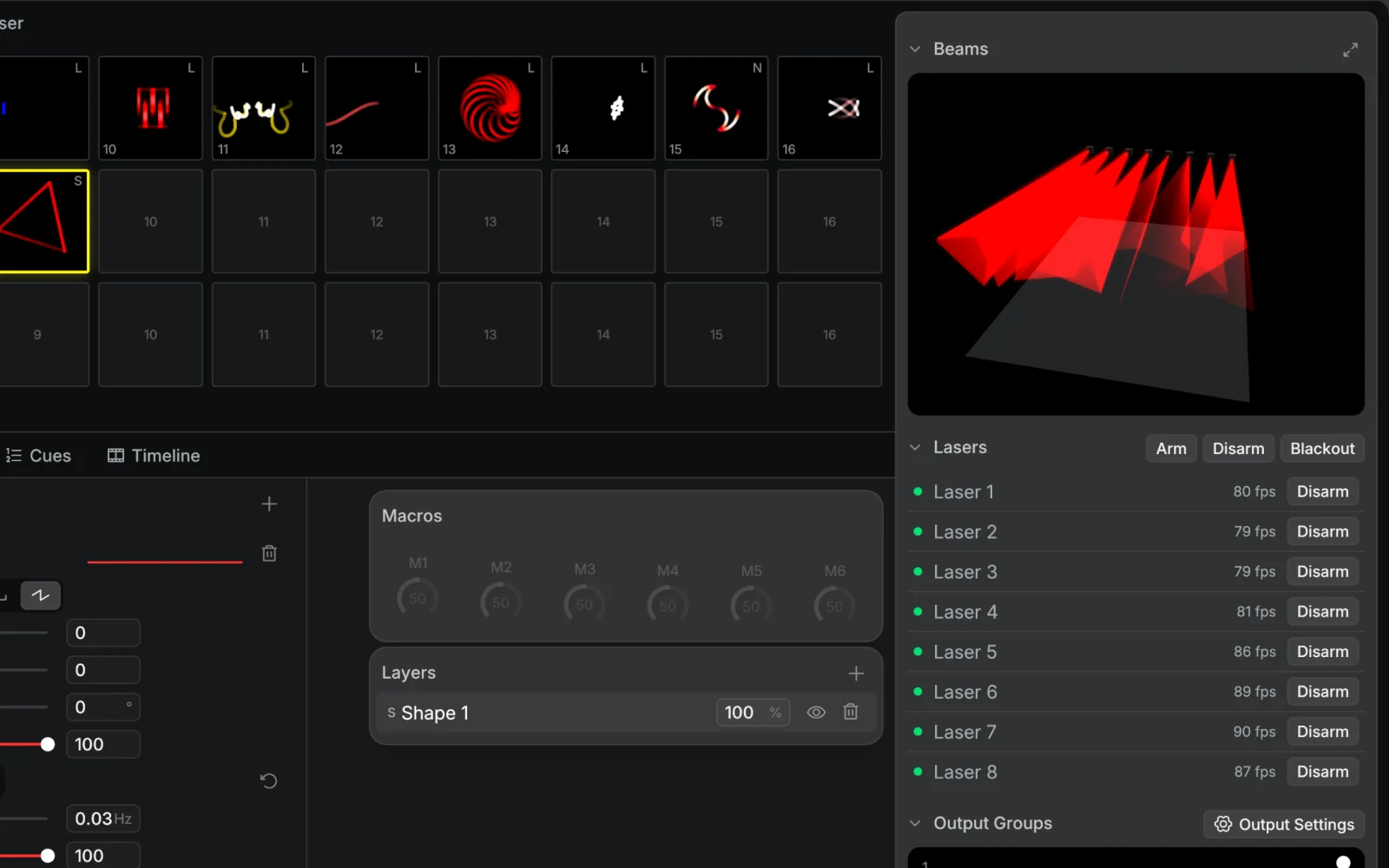
The most-requested feature is here. Output to multiple laser DACs at once from a single patch. Group lasers (“Behind DJ”, “Outside”) and route different clips to different rigs, all in sync. Chase effects across the group included.
Output groups let you organize lasers by position, purpose, or moment: one Modulaser instance, one patch, separate routes for each part of the setup.
Content library
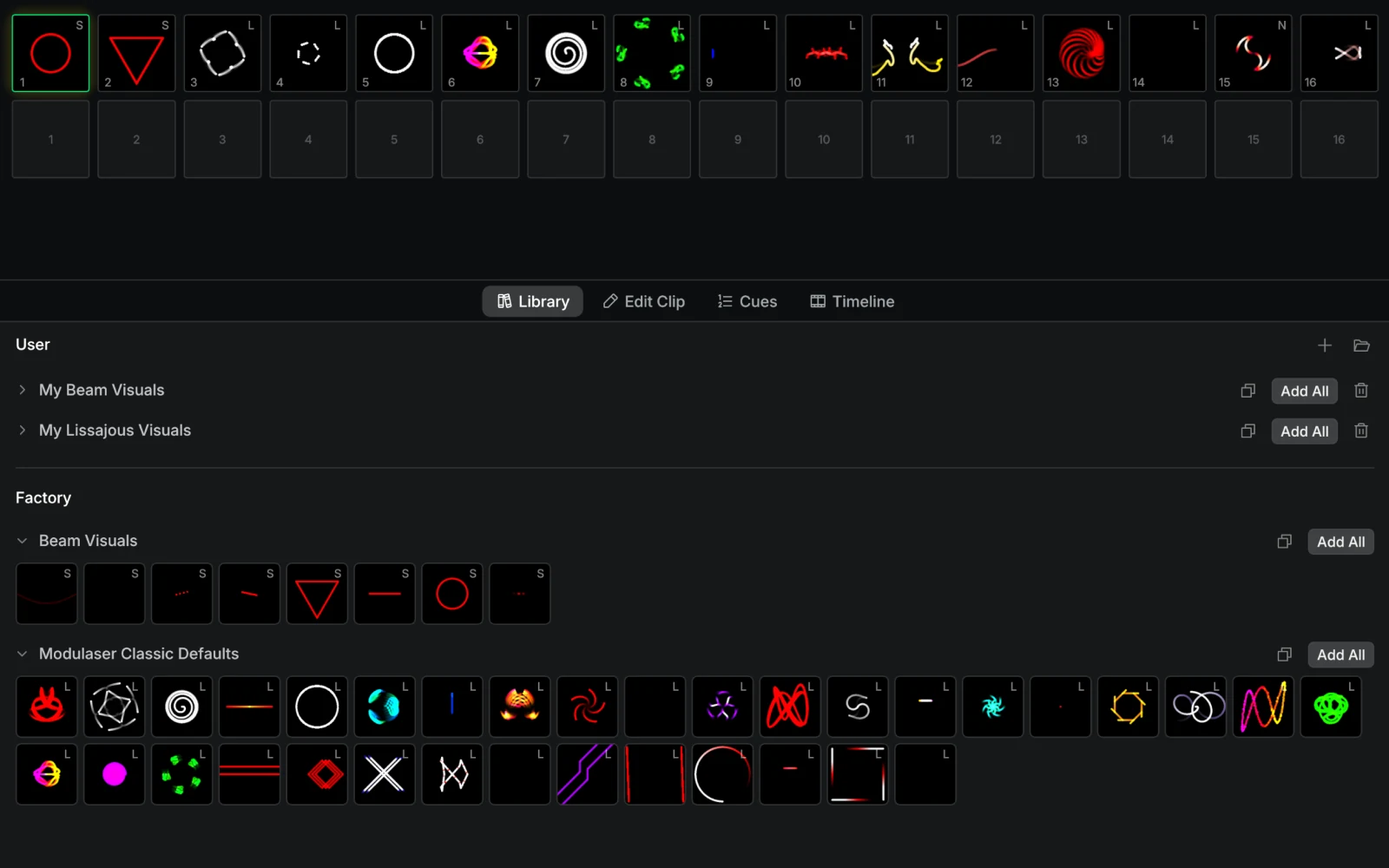
Modulaser used to be one project file at a time. Modulaser 2 works from a content library. Clips, patches, and scenes live in one place, ready to load, drop, and rearrange across shows. Build your set like a setlist instead of opening and closing project files.
Timeline and cues
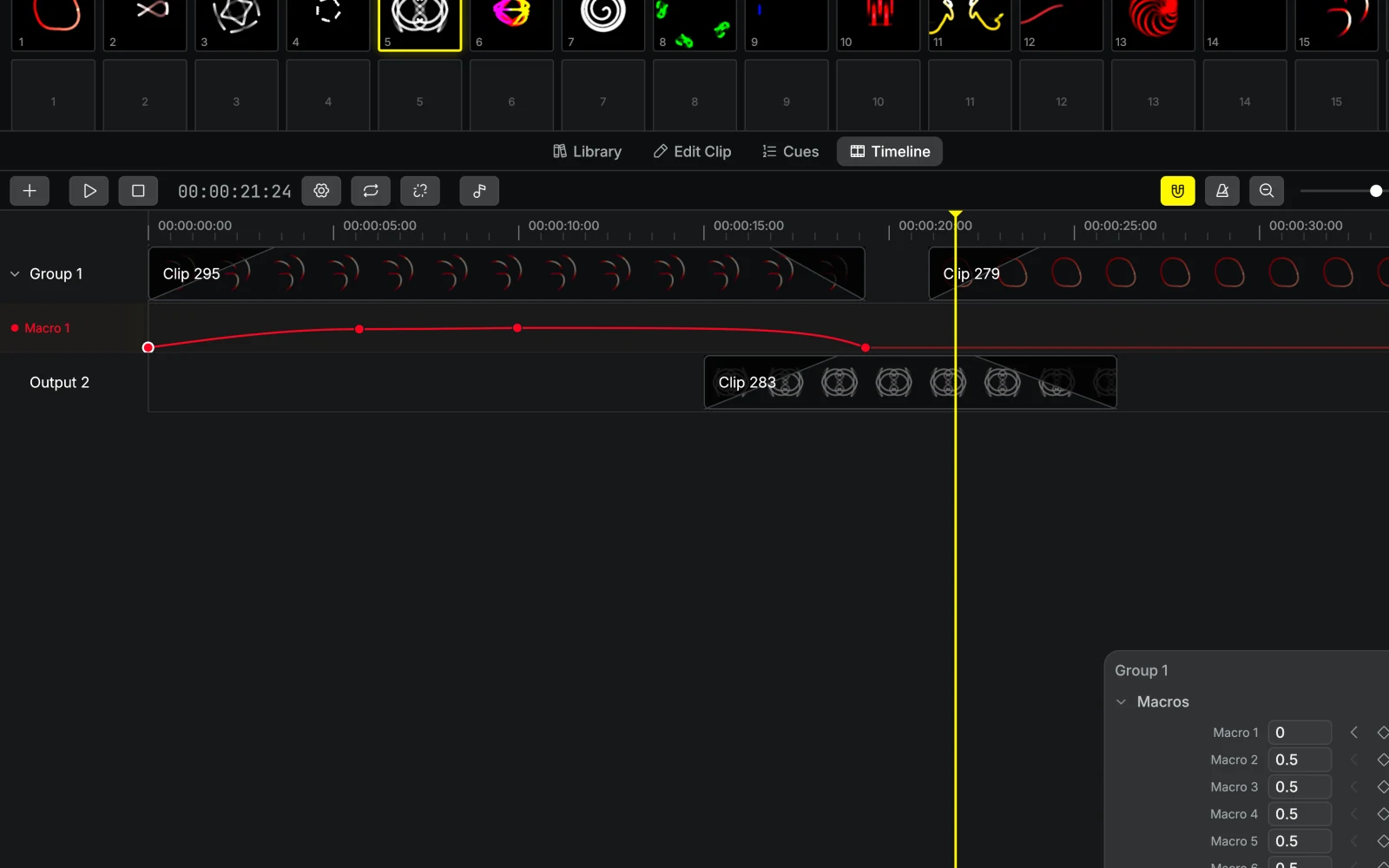
Keyframe animation, a clip-based timeline, and a cue system with auto-play, per-clip durations, MIDI assignment, and SMPTE sync. Program a full show end to end, lock it to show timecode, or trigger cues live. Your call.
MIDI, OSC, and Ableton Link
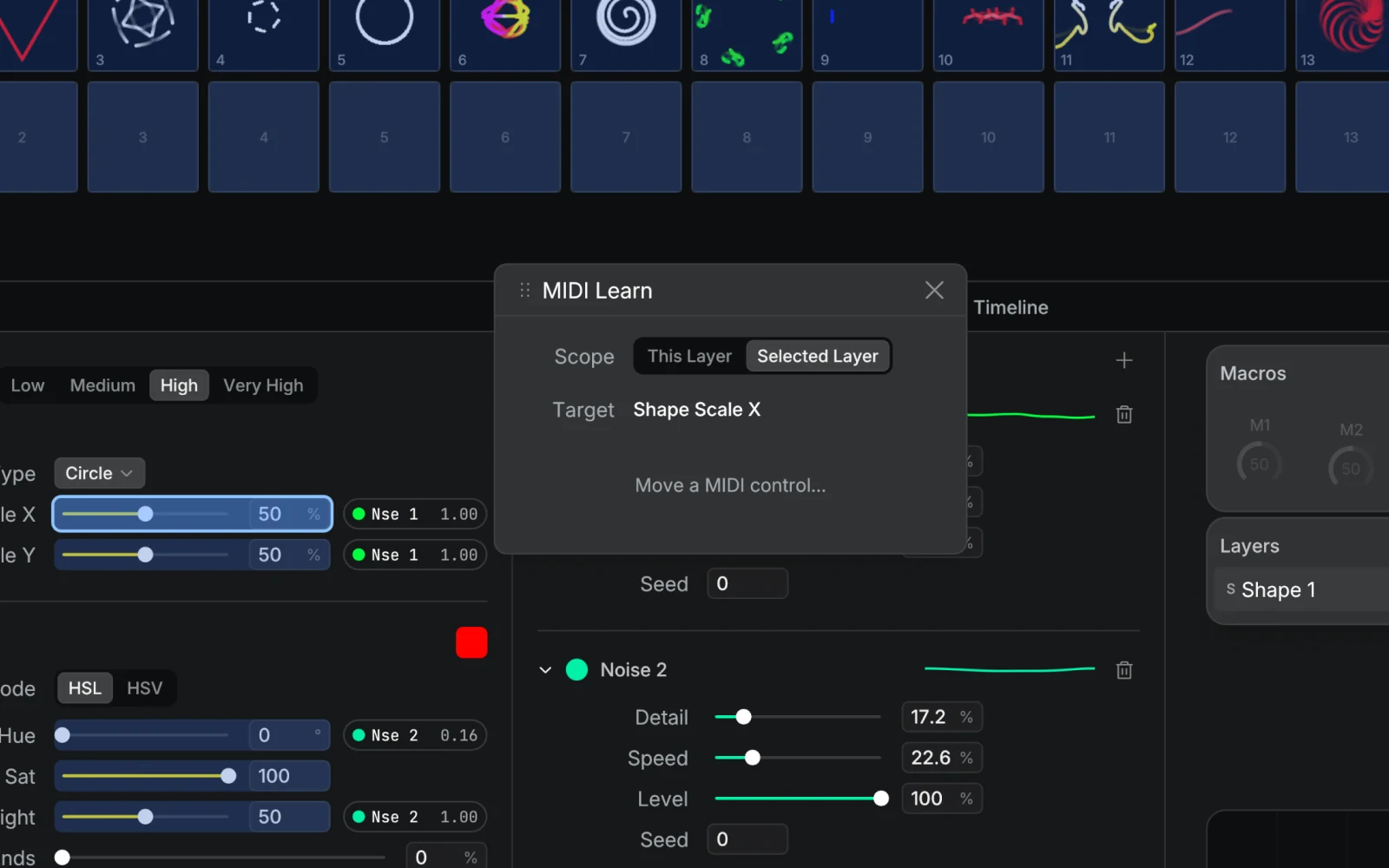
MIDI Learn covers almost everything worth touching from a controller: clip parameters, layer opacity, output groups, effects, macros, tempo, cues, and timeline transport. Enable feedback and motorized faders track your changes, knob rings update, and pad LEDs reflect clip state.
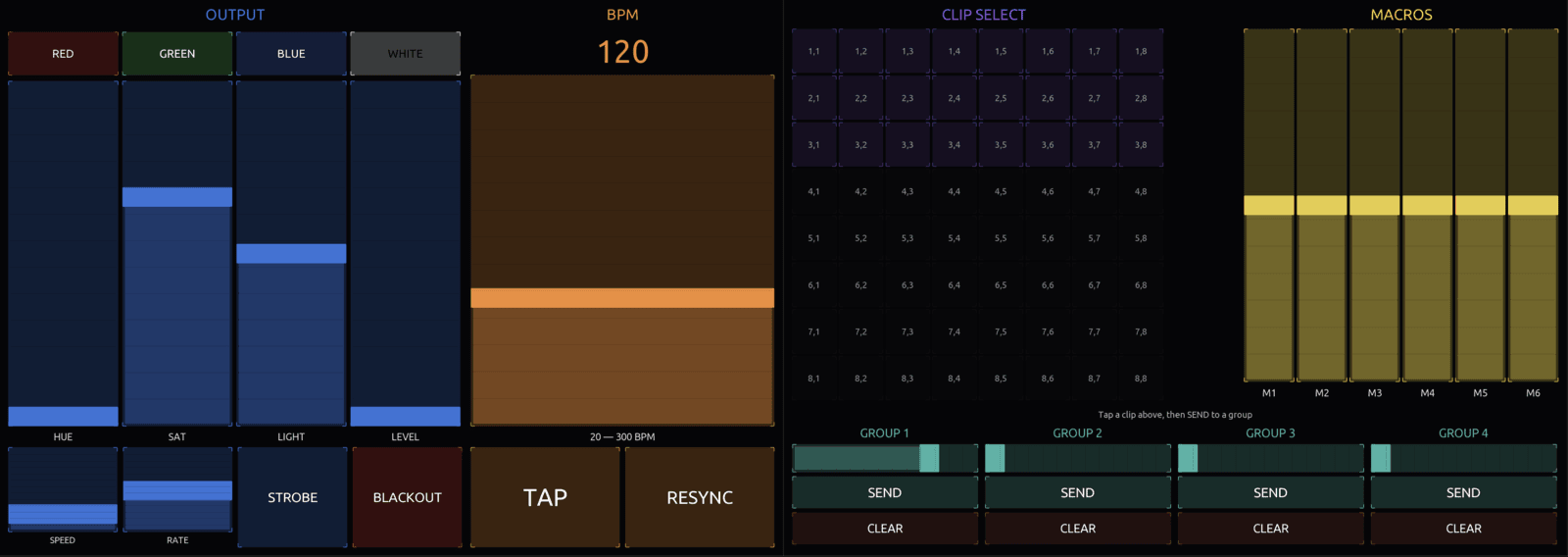
OSC works the same way over the network. Modulaser 2 ships with ready-made templates for TouchOSC and Open Stage Control, so you can drive a show from a tablet or a custom layout on a second screen.
Tempo can come from MIDI clock or Ableton Link, so Modulaser stays in time with Live, Traktor, Resolume, and anything else on your network.
Audio reactive
Route audio from any input device into your patch. Three modes cover the common needs: loudness for beat-pulsing scale and brightness, spectrum for frequency-banded reactions (bass to one parameter, hi-hats to another), and waveform for shapes that physically deform to match the signal.
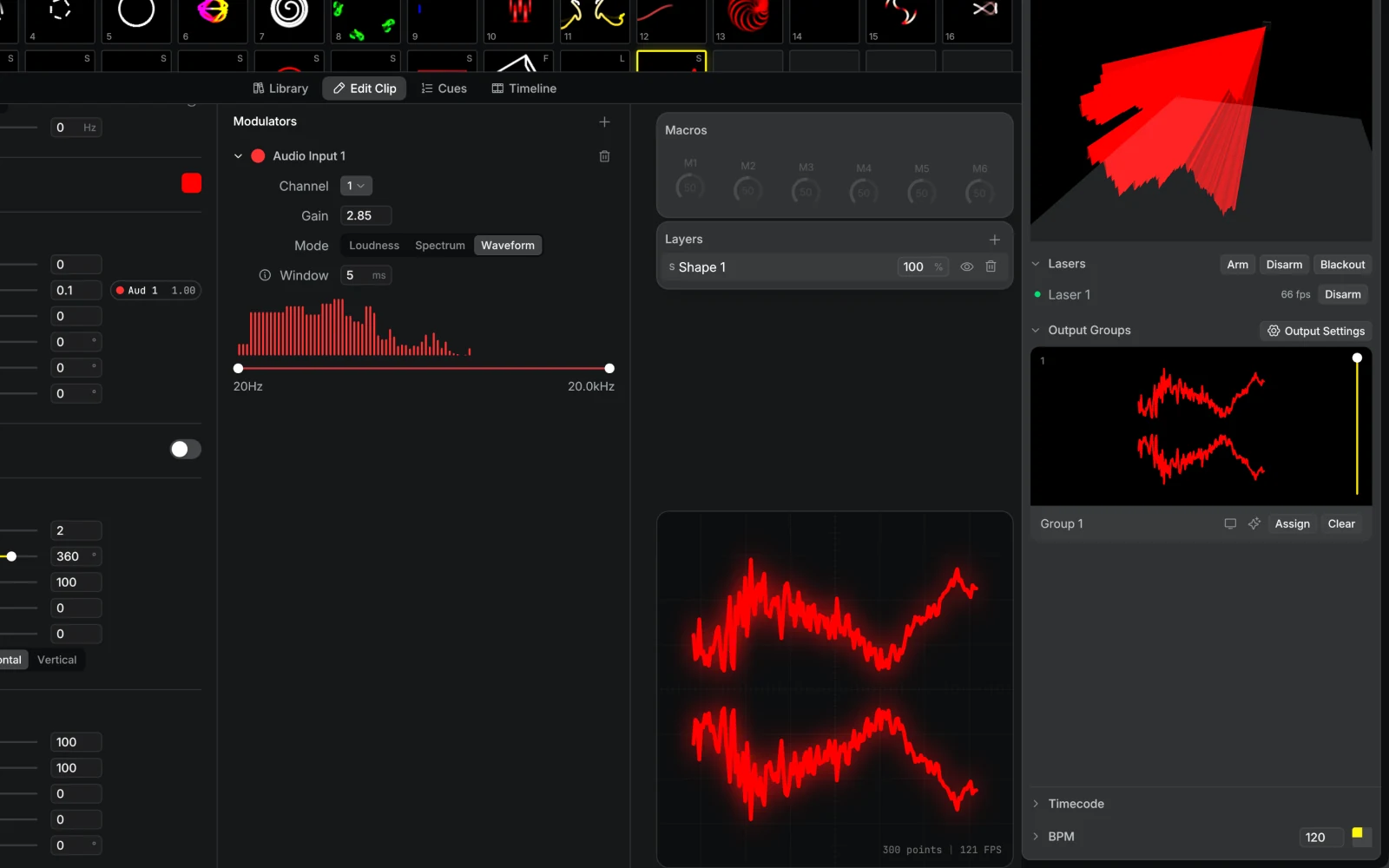
Multi-channel interfaces are supported, so different channels can drive different parts of your show. Kick on channel 1, vocals on channel 2, hi-hats on channel 3.
Effects chain
Each output group has its own ordered effect chain. Stack Strobe, Colorize, Chase, Scale Pulse, Flash, and Rotation on a group to shape everything routed through it. Automate them, modulate them live, or build your own from scratch in the node graph.
New input sources
Pipe NDI or Syphon video into your laser patch. Real-time vectorization turns any NDI or Syphon-capable app into a laser source. Import SVG sequences, 3D .obj files, and raster images with automatic vectorization. Or use the new Shape mode for clean primitives (circles, triangles, waves) you can modulate live.
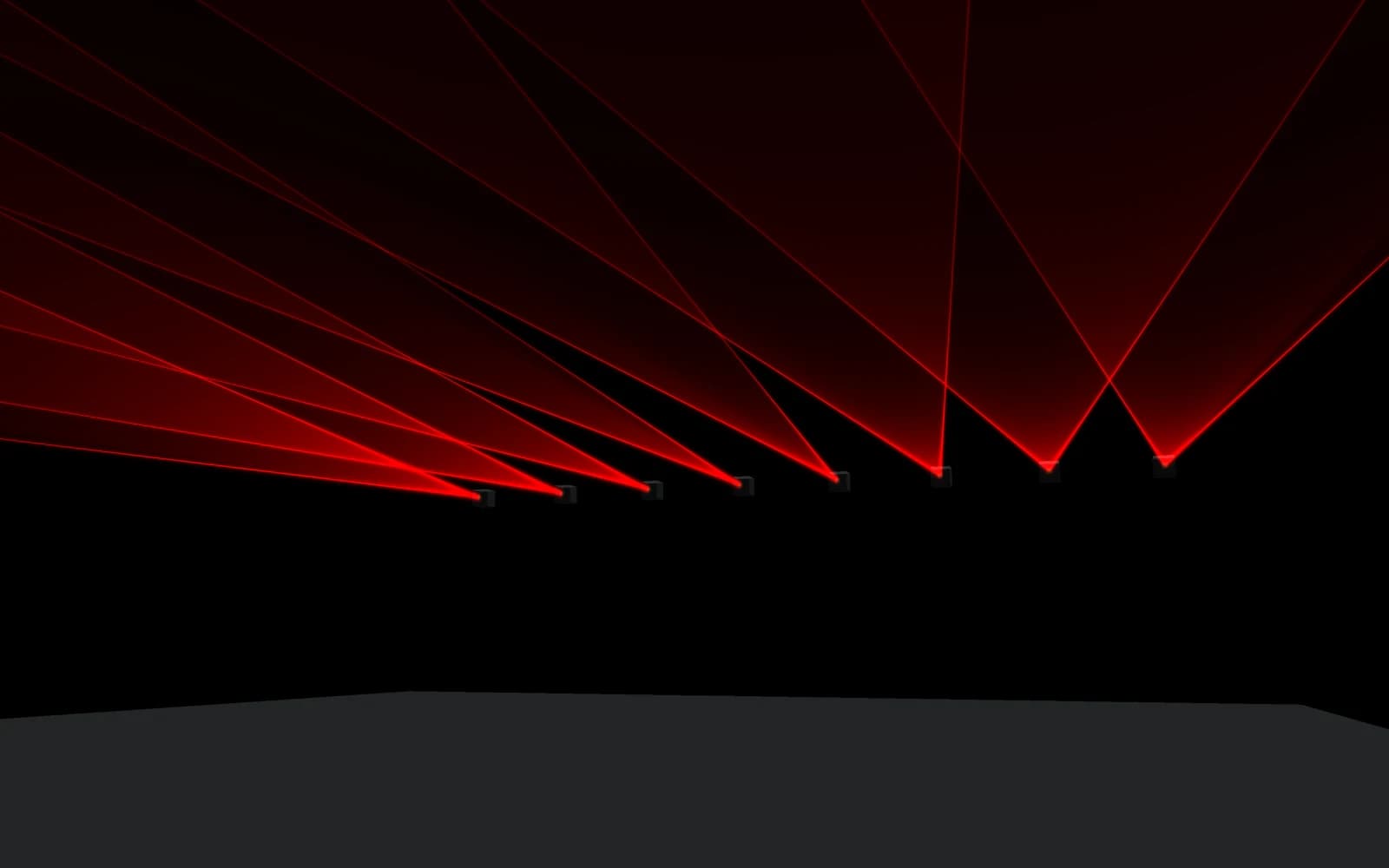
3D beam view
Preview your output in a simulated 3D room. See what your audience will see before a single beam leaves the projector.
Projection mapping and safety
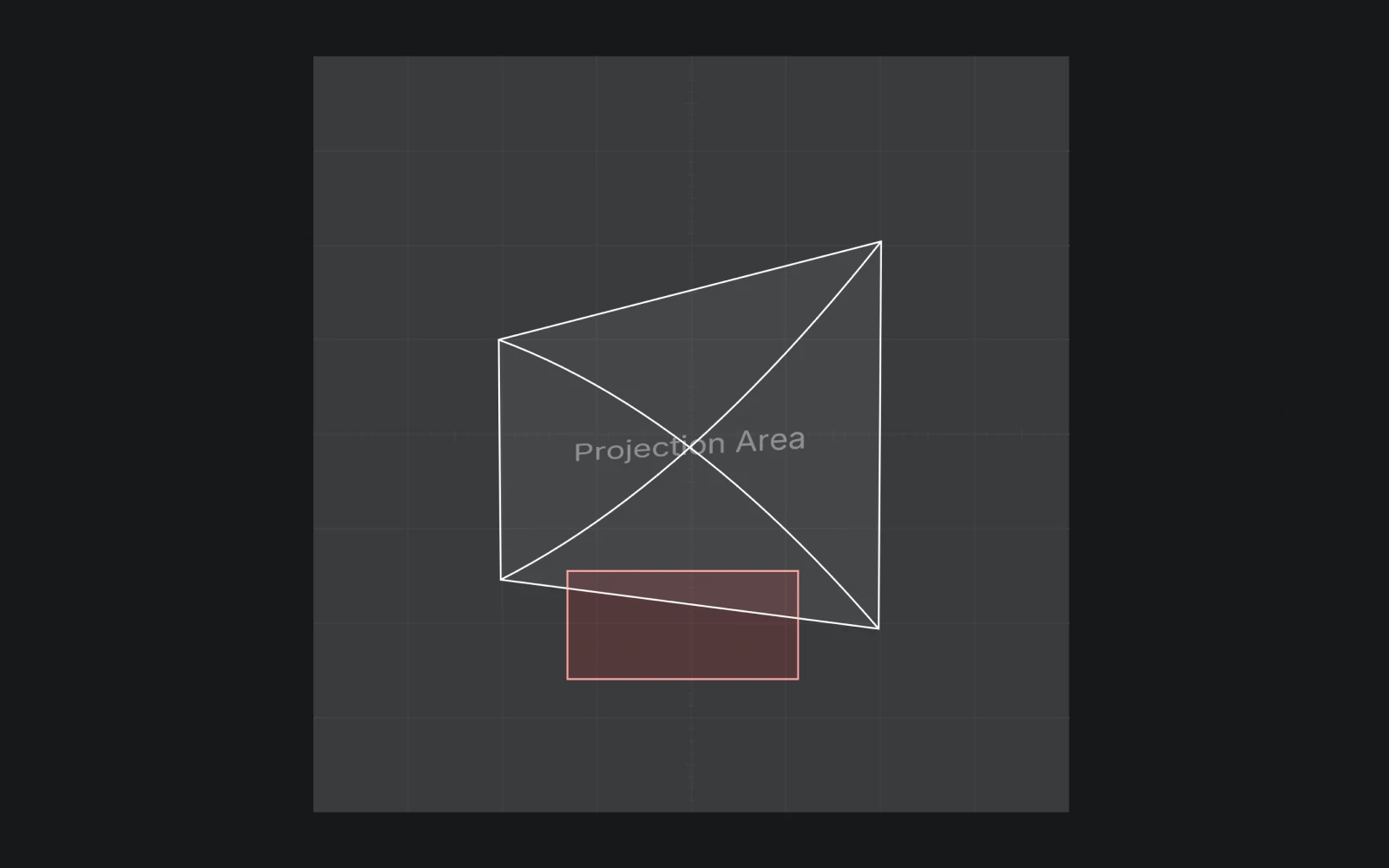
Every laser has a four-corner projection area you can drag to fit any flat surface: a wall, a stage element, a building facade. Keystone correction is built in, and a convexity guard prevents you from breaking the shape into something unworkable.
For audience and equipment protection, each laser has its own blind zones with adjustable power reduction. Mask the area in front of the audience, dim a zone near a camera lens, or zero out a region entirely. Zones stack, and the 3D beam view reflects them in real time.
Audience scanning requires training, permits, and compliance with local regulations. Blind zones are a tool, not a substitute for proper safety planning. See the Laser Safety guide before configuring zones around people.
New recording options
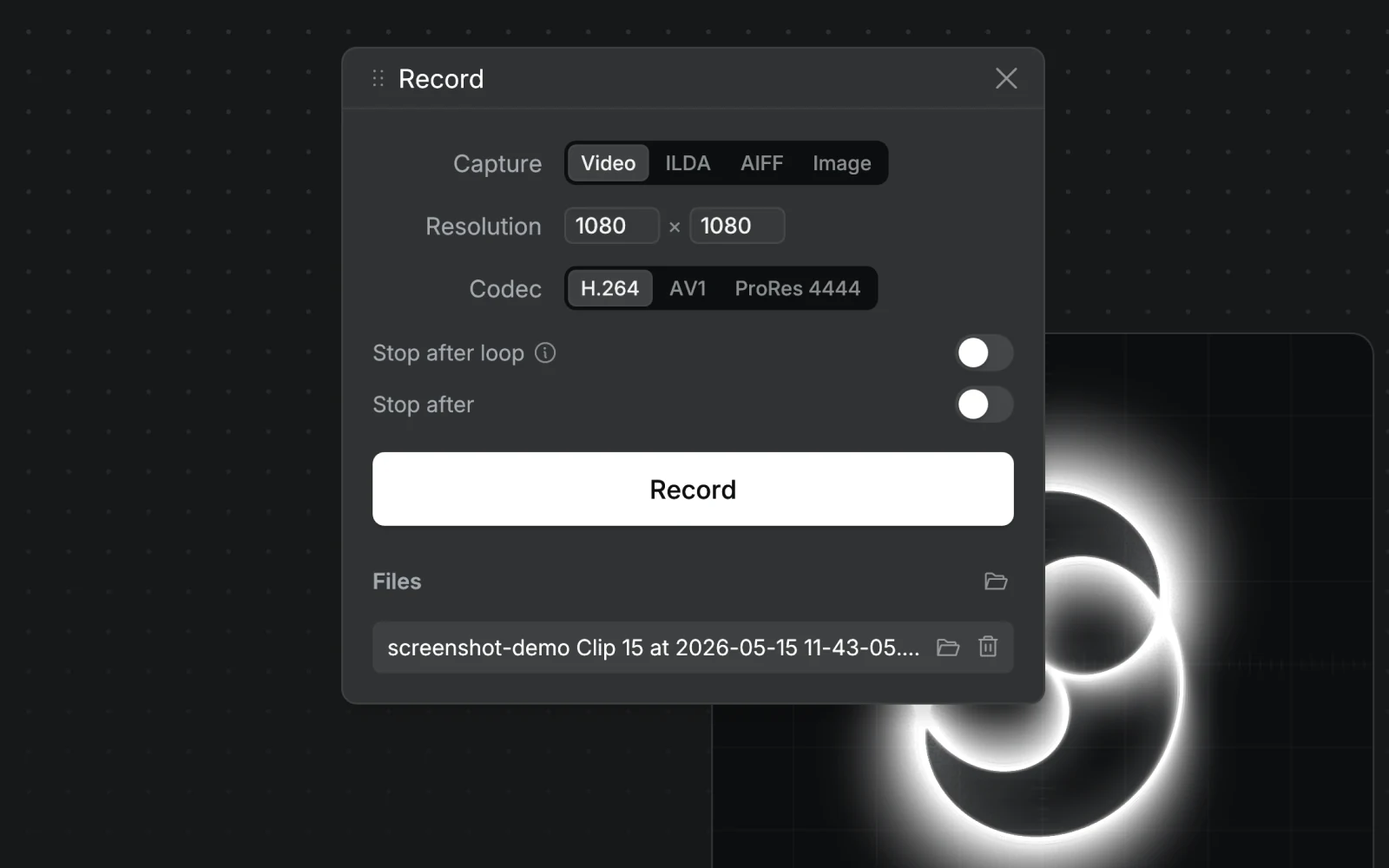
Record to video with H.264, AV1, or ProRes 4444 (macOS). Capture stills as PNG or SVG. Export image sequences. Save out ILDA format 5 or format 1 for lasers with SD-card playback. Export AIFF-C for AVB DACs.
Use Perfect Loop to render seamless loops automatically: Modulaser detects when all oscillators, sequencers, and animations align back to their starting point, then stops there.
Linux support
Modulaser runs natively on Linux. Ideal for permanent installations, headless rigs, and on-stage rack machines. It runs cleanly on a Raspberry Pi.
Performance and stability
Modulaser 2 was rewritten from the ground up. Half the CPU usage. Quarter the install size. Smarter, scan-aware point distribution that gives you sharper corners without losing scan speed.
Output stability and DAC reliability got the same treatment. We tore down and rebuilt the parts that show under pressure: long sets, demanding patches, installations, and repeated live changes.
Hardware support
Modulaser 2 works with the DACs you already own:
BEYOND and EasyLase support are dropped in Modulaser 2. If you're upgrading and rely on either, email us at info@modulaser.app and we'll see what we can do to bring support forward.
The DAC drivers behind this list are open source. laser-dac-rs is the Rust crate that handles Modulaser's output. Issues, patches, and forks welcome.
Get started
Modulaser 2 is available today on macOS, Windows, and Linux. Download it for free. No license required to start patching. When you’re ready to put it on stage, pricing is here.
We hope Modulaser 2 keeps inspiring you, and the next round of people picking up lasers for the first time, to make shows and installations we couldn’t make ourselves. We’re eager to see what you build with it.
We’d love to know what you think. Email us at info@modulaser.app with first impressions, things that work, or things that don’t. It helps us shape what’s next.
Enjoy.